Calculus & mathematical functions
Differentiate, integrate, interpolate, investigate limits.
Version 4.0 adds numerical calculus and an extensive function catalogue alongside its equation-solving engine.
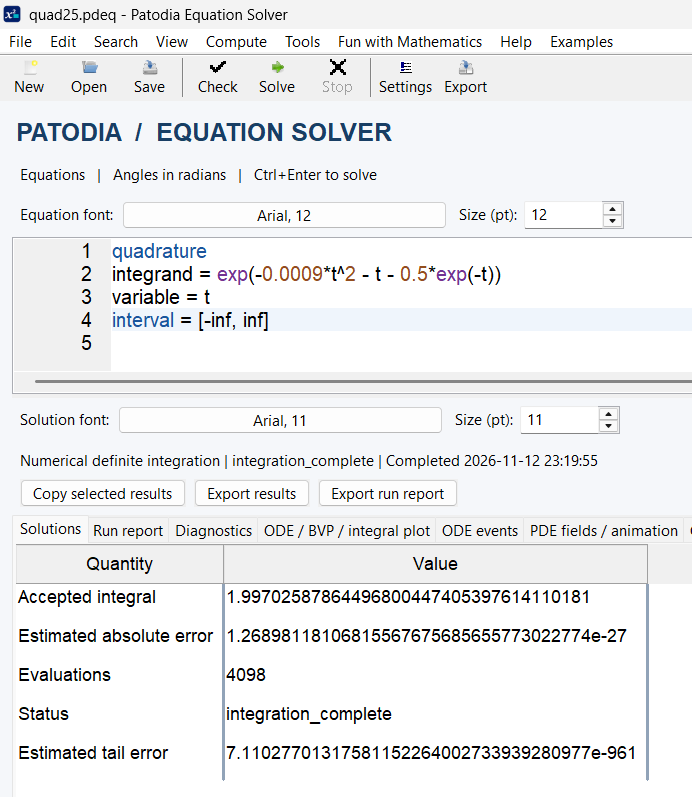
Numerical quadrature and singularity handling.
The quad service evaluates definite integrals using supported arithmetic and adaptive integration settings. Multiple intervals and declared singularity locations help describe problems that should be split at problematic points.
quad
expr = 1/sqrt(abs(x-0.2))
var = x
range = [0,0.2], [0.2,1]
singularities = [0.2]
This improper integral is finite, but its integrand is unbounded at x=0.2. An accepted integral should still be checked with tolerances and an independent benchmark.
Numerical differentiation: derivatives, gradients and Hessians.
Use diff or differentiate to evaluate supported scalar and multivariable derivatives. Higher-order numerical differentiation, gradients, Hessians and tabulated differentiation are available in documented forms.
diff
expr = x^2*exp(y) + sin(x*z) + y^3*z
at x = 1
at y = 0
at z = 2
gradient = true
hessian = true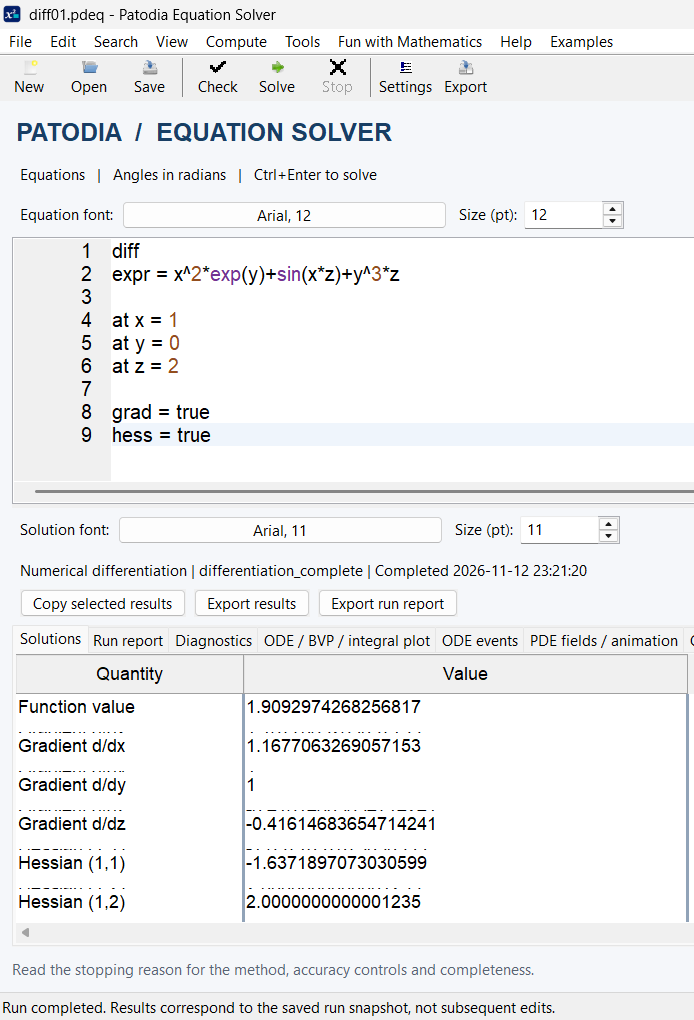
Limits, singularities and interpolation.
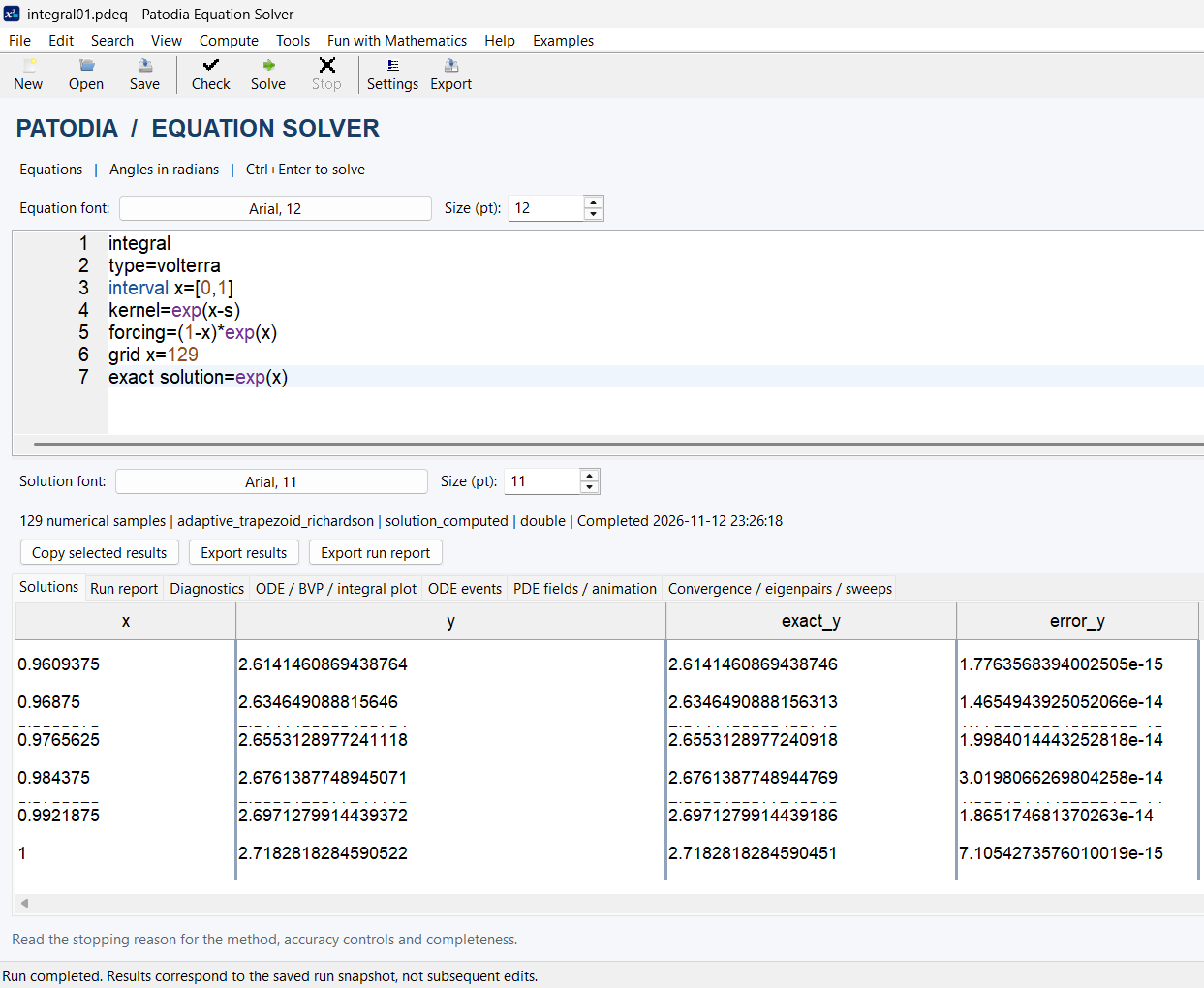
The limit and singularities services explore difficult behavior around points of interest and specified intervals. The interpolate service evaluates supported models from tabulated data, including supported CSV-based workflows.
limit
expr = sin(x)/x
at x = 0
The mathematical limit is 1. Numerical limit and singularity routines use diagnostic estimates; ambiguous, divergent or discontinuous behavior requires careful interpretation.
Selected mathematical function families
Mathematical function availability depends on which service evaluates an expression. The compute service includes shared-core and Compute-only functions; workflows can call documented scalar Compute functions directly. Service expressions have their own rules.
| Family | Representative functions | Purpose |
|---|---|---|
| Elementary | abs, sqrt, exp, log, log10 | Magnitudes, roots, exponentials and logarithms. |
| Trigonometric | sin, cos, tan, asin, acos, atan | Angles in radians and inverse trigonometric calculations. |
| Hyperbolic | sinh, cosh, tanh, asinh, acosh, atanh | Hyperbolic functions, subject to real domains. |
| Special functions | gamma, erf, besselj, zeta, lambertw | Advanced analysis and scientific models. |
| Integer and prime functions | isprime, primepi, primefactor | Primality, prime counts and indexed prime factors. |
| Workflow collections | count, at | Collection length and 1-based item access. |
This table is illustrative, not the complete function inventory. For full signatures, domains, argument counts and examples, consult the Version 4.0 Workflow Guide and Compute Functions Complete Reference.
Compute functions and numerical precision
Use compute for named expressions. Some special functions run through the higher-precision Compute backend. All reported digits must be interpreted in light of conditioning and method limits; extended arithmetic is not an accuracy certificate.
compute
precision = binary128
a = gamma(5)
b = erf(1)
c = besselj(0,2)
d = zeta(2)
report_value = a+b+c+d
Explore more numerical examples
The Expanded Book 4.0 PDF is available to read or download. Browse all six documents on the Resources page.
Open / Download PDF ↗